/ automation
Cross-Platform Ad Budget Monitoring
The manual checks on Meta and Google Ads kept failing. I replaced them with monitoring that runs 24/7 and pauses campaigns on its own. Built with zero extra budget.
Impact
Problem
The agency managed ad accounts across Meta and Google Ads for multiple clients. Budget compliance ran on a manual SOP: someone checked spend against limits by hand. But manual checks are easy to miss. One slip on a single account can run into 5-figure losses, and weekends and after-hours went unmonitored.
I replaced the manual SOP with automated monitoring. Budget compliance is a logic problem (spent vs limit), not a judgment call. A machine does not forget, does not skip weekends, and does not misread numbers. The constraint was: no dedicated budget for external tools or API subscriptions, so everything had to be built with what we already had.
Key Decisions
-
Why two separate systems (n8n + Google Ads Scripts) instead of one unified platform?
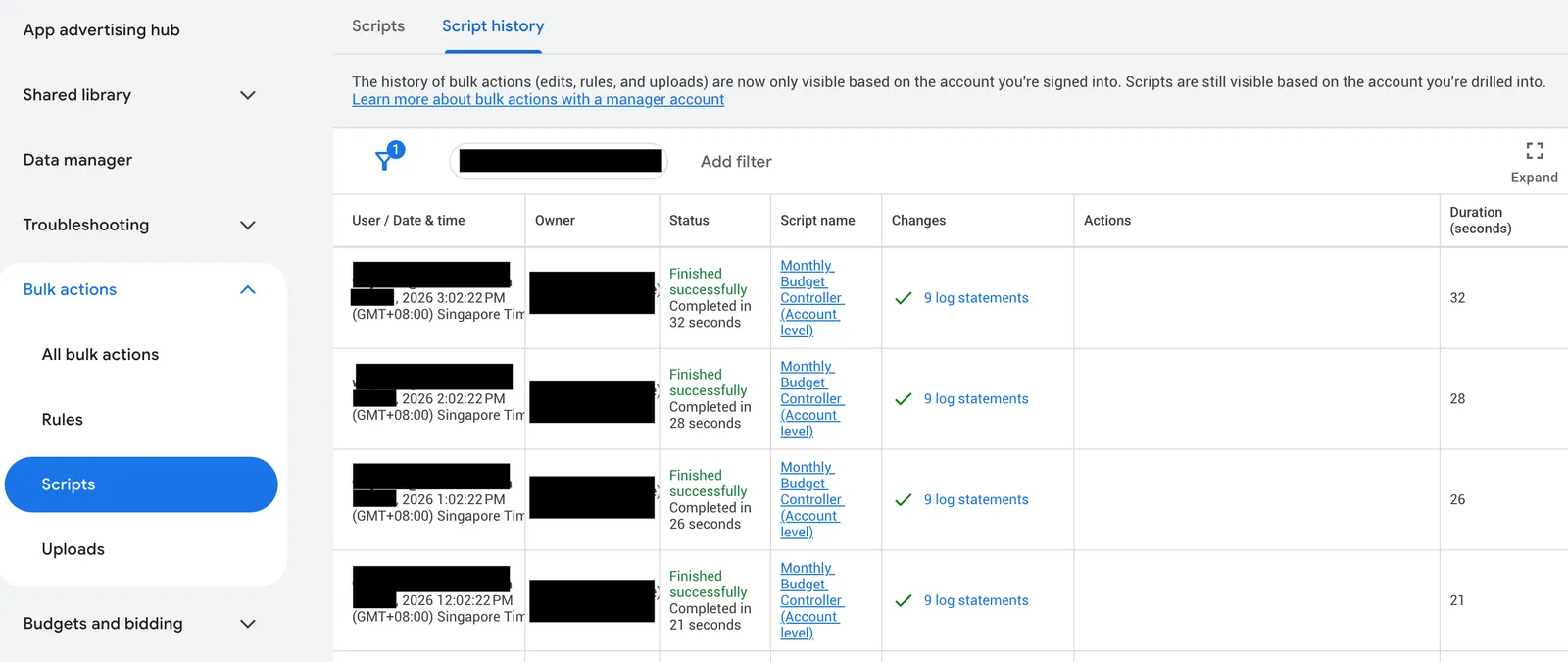
Constraints drove this. Google Ads API requires a special application process for access, and we had no budget for it. Google Ads Scripts are free, run inside Google's infrastructure with full MCC-level access, and can pause campaigns programmatically. For Meta, n8n was already deployed internally and had a built-in Facebook Graph API node. Using each platform's most accessible tool was the pragmatic choice given limited resources.
-
Why are the Meta and Google monitors solving different problems?
Meta campaigns typically use campaign-level budgets with end dates, so overspend risk is relatively low. The Meta monitor was more about helping finance prepare payments: multiple services shared one credit card, so the finance team needed early visibility on outstanding balances to release credit limits. Google Ads is different. Some campaign types only allow daily budgets, and clients have hard monthly limits. The Google monitor acts as a hard budget gate: if monthly spend hits the limit, campaigns auto-pause immediately.
-
Why Slack alerts for Meta and email for Google?
The ad ops team lived in Slack. Slack Block Kit messages gave rich formatting: account name, status, outstanding balance, and a direct link to the Meta Business payment page. The team could see the alert, click the payment link, and resolve it in under a minute. Google Ads used email because campaign auto-pause was the primary action, not a manual response. The email served as a record of what happened, not a call to action.
-
Why a Google Sheet as the configuration layer?
Account managers, not developers, needed to add new client accounts, update budgets, and toggle monitoring on or off. A Google Sheet was something they already knew how to use. Both the n8n workflow and the Google Ads Script read from the same sheet format, so adding a new client to monitoring took 30 seconds with no code changes.
Architecture
Meta Ads Monitoring (n8n)
Google Sheet (account list: ID, name, active flag)
  |
  v
n8n Workflow 1 (hourly trigger)
  |-- Read all active accounts from sheet
  |-- For each account (batch processing):
  |     Facebook Graph API
  |     Fetch: balance, amount_spent, spend_cap, account_status
  |-- Transform: convert cents to dollars, format timestamps
  |-- Write back to Google Sheet (per-account row update)
  |
  v
n8n Workflow 2 (called per account, or via webhook)
  |-- Fetch account details from Facebook Graph API
  |-- Check: account_status != 1 (not active)?
  |-- Check: outstanding balance?
  |-- If anomaly detected:
  |     Slack Block Kit message to #ad-account-monitoring
  |     Contains: account name, status, balance, payment link
  |     @mentions the responsible account manager
  |-- Write status back: success/failed + error message
  |-- n8n built-in execution tracking for every run
Google Ads Monitoring (MCC Script)
Google Sheet (account budgets + alert threshold)
  |
  v
Google Ads Script (scheduled, runs at MCC level)
  |-- Read account budgets and email settings from sheet
  |-- For each configured account:
  |     Skip if no active campaigns
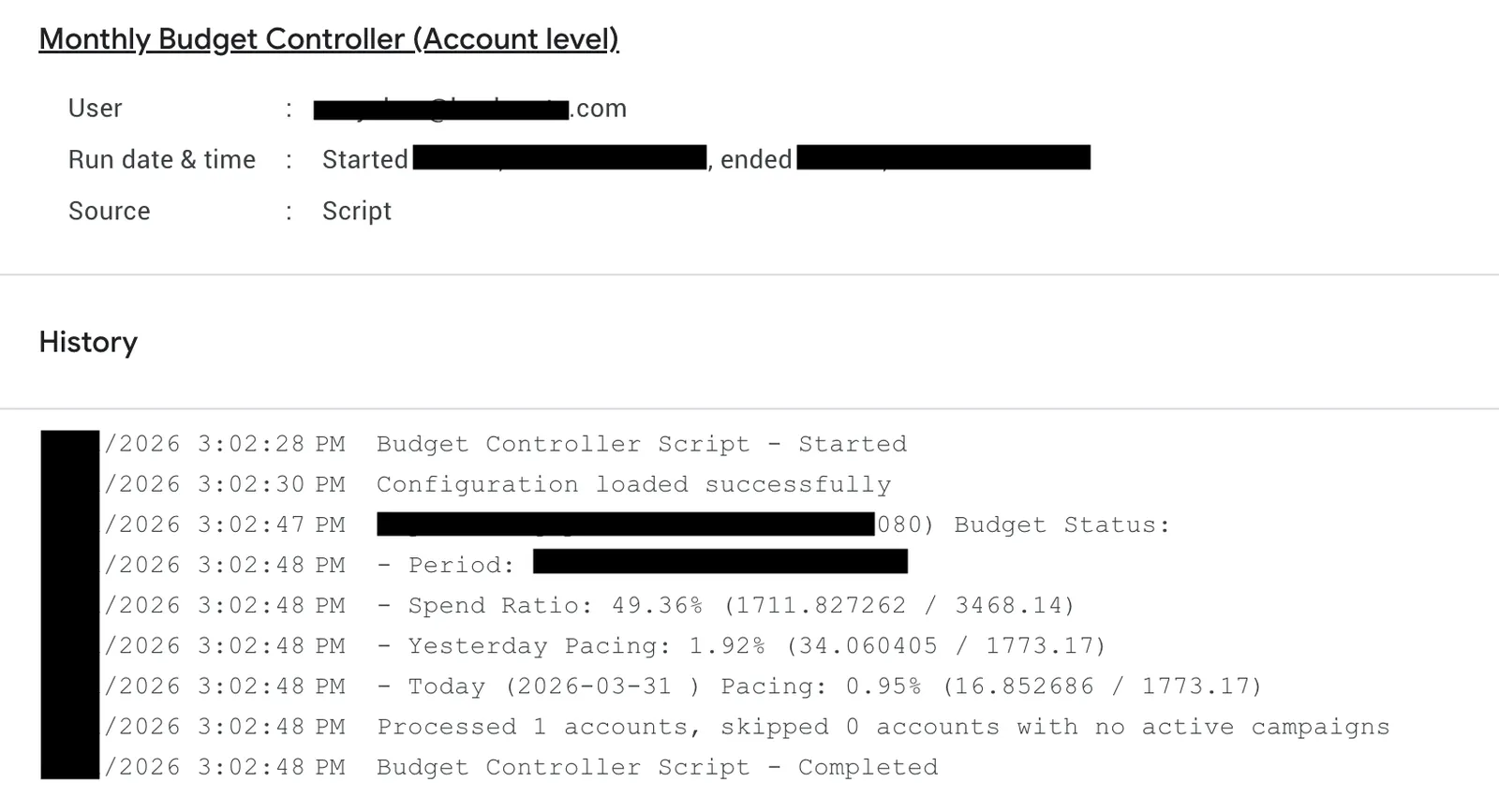
  |     Fetch: monthly spend, yesterday spend, today spend
  |     Calculate: spend ratio, remaining budget, daily pacing
  |
  |-- If monthly spend >= budget:
  |     Auto-pause ALL active campaigns
  |     Send URGENT email with spend details
  |
  |-- If spend ratio >= alert threshold (default 90%):
  |     Send WARNING email with pacing info
  |
  |-- Log: processed count, skipped count
  |-- Every execution logged by Google Ads Script runtime
Transferable Pattern
Replacing manual SOPs with automated monitoring for rule-based compliance. Applicable to any business with budget limits, inventory thresholds, or SLA targets that need 24/7 enforcement without relying on people to remember.